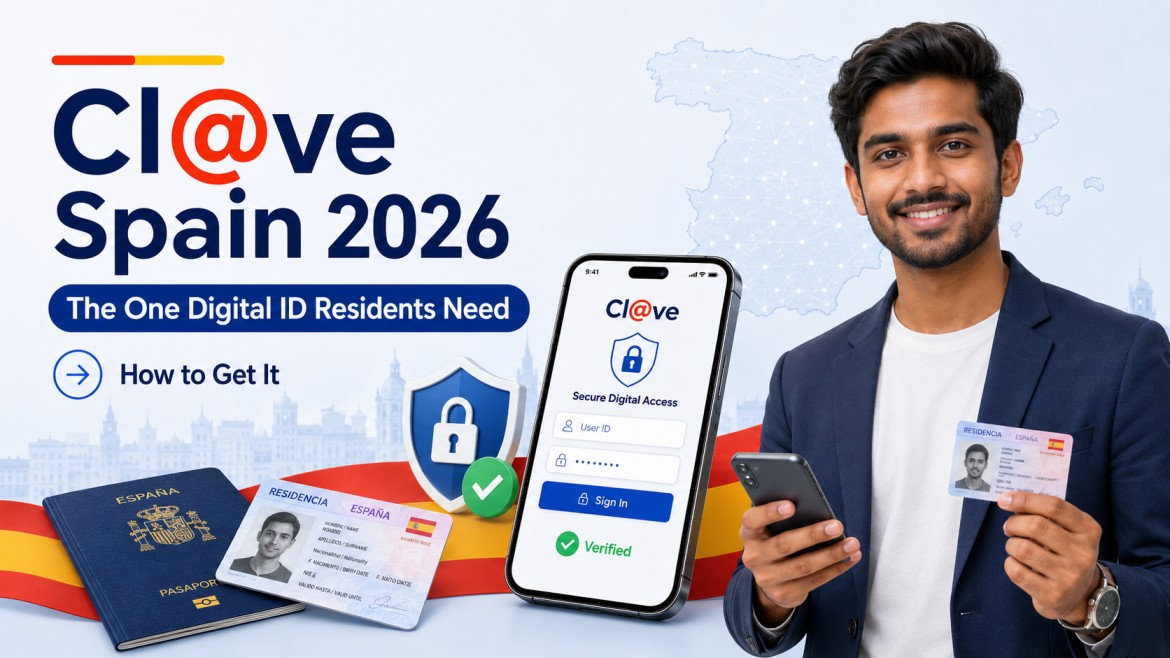
How to Get Cl@ve Spain 2026 – The One Digital ID Resident Needs
If you are Indian and living in Spain – or seriously planning to move here from India or any ouher part of the world – there is one digital system nobody will warn you about until you are sitting in front of a government website that simply refuses to let you go further: it is called Cl@ve, and without it, you are essentially locked out of the entire Spanish government online. We figured this out ourselves the hard way, and this guide is everything we wish someone had told us before that moment. No agents, no consultants – just the real process, explained properly.
What Exactly is Cl@ve and Why Do Indians Living in Spain Need It in 2026?
Cl@ve – the word literally means “key” in Spanish – is the Spanish government’s official unified digital identity platform. Think of it like India’s Aadhaar-based e-KYC, but for accessing every single government service online instead of standing in queues at government offices. It is one login, one identity, one system across all of Spain’s public administrations – tax, immigration, social security, employment, healthcare, and more. As the official Cl@ve portal itself states, its main purpose is that citizens can identify themselves before the Administration through agreed-upon credentials, without having to remember different passwords for different services.
We did not use any agent or consultant to set this up. We went through the official government portals, read the instructions, and handled it ourselves. Honestly, once you understand what it is and how it works, it is not complicated at all. The problem is that nobody explains it clearly to newcomers – especially to Indians coming from India or the Gulf who are already overwhelmed by the NIE, TIE, empadronamiento, and everything else that comes with relocating to Spain.
In 2026, Cl@ve is no longer optional or just “useful to have.” It is assumed. Government websites in Spain increasingly do not offer an alternative login path – you arrive at a page, need to do something official, and there is simply no way forward without Cl@ve. People who came through relocation agents told us their agents helped them get the NIE and TIE paperwork sorted but never even mentioned Cl@ve – they discovered the gap months later when they needed to file their taxes or check a social security notification online.
📌 “Cl@ve is the common electronic identification system that allows citizens to authenticate themselves securely in their transactions with all Public Administrations – without having to use multiple passwords or certificates.” – Official Spanish Tax Agency (AEAT)
What Government Services Can Indians in Spain Access with Cl@ve?
This is the question we get all the time – “but what do I actually use it for?” The honest answer is: almost everything official. Here is a proper breakdown of the services Cl@ve unlocks for Indian residents in Spain:
| Tax Agency (AEAT / Agencia Tributaria) File your annual income tax return – called the Renta – check your tax data, view formal communications, and respond to any notices from the tax department. If you earn income in Spain, the Renta is mandatory every year. |
| Social Security (Seguridad Social / IMPORTASS) Access your full contribution history (vida laboral), check pension projections, apply for benefits, download certificates, and manage your registration details. Back in India we never tracked pension contributions closely – here, all of that information is available online the moment you log in with Cl@ve. |
| SEPE – Employment Services Apply for unemployment benefits (paro), register as a job seeker, access training programs, and manage your employment file online. Note that Spanish unemployment benefits require a minimum of 360 working days of social security contributions within the last six years – and managing all of this is done online through SEPE with Cl@ve. |
| Immigration (Extranjeria) Check the status of your residency file, download residency certificates, and access formal notifications from the immigration office – all without queuing at the Oficina de Extranjeria. |
| Mi Carpeta Ciudadana A unified personal digital portal where you can view data from all public administrations in one place – pending notifications, file statuses, documents, prior appointments, and education records. Think of it like DigiLocker in India, but actively used by all government bodies and fully integrated. Carpeta Ciudadana itself requires Cl@ve to log in. |
| Municipal and Regional Services Many autonomous communities and ayuntamientos (town halls) also accept Cl@ve for local procedures – registering a vehicle, applying for local grants and subsidies, accessing school registration portals, and online empadronamiento in cities like Madrid and Barcelona. |
| Healthcare (SNS – Sistema Nacional de Salud) In several autonomous communities, Cl@ve is used to book medical appointments online, access health records, and manage prescriptions through regional health portals. |
To be fair, if you are self-employed (autonomo) or running a business in Spain, you will eventually also need an FNMT digital certificate for full electronic signature capability – that is a more powerful but separate tool. But for the large majority of Indian residents – salaried workers on a work visa, students, family reunification cases, and their dependants – Cl@ve Permanente covers everything you will need in day-to-day life.
📌 Official Resource: Mi Carpeta Ciudadana – The Spanish government’s unified personal portal for viewing your data, pending notifications, and file statuses across all public administrations. Access requires Cl@ve login. Visit Mi Carpeta Ciudadana
What is the Difference Between Cl@ve PIN, Cl@ve Permanente, and Cl@ve Movil?
This confused us at first too, so let us break it down simply. Cl@ve is not one single thing – it has three modes of operation, and you will use different ones depending on the situation. All three modes are available to you once you register. You do not have to choose just one.
Cl@ve PIN
A temporary, time-limited, single-use code sent by SMS to your phone each time you initiate a login to a government service. It expires quickly. This mode is designed for people who access government services only occasionaly – for example, once or twice a year to file the Renta. Easy to set up, but slightly annoying for regular use because every single login requires requesting a new code.
Cl@ve Permanente
A fixed username-and-password combination you create once, similar to any other online account. You log in with your NIE or DNI number, your password, and then confirm with an SMS verification code. This is what we use personally – far more convenient for regular access. This mode is also required for cloud-based electronic signing (Cl@ve Firma).
Cl@ve Movil (via the Cl@ve App)
Works through the official Cl@ve smartphone app published by the AEAT (Agencia Tributaria). The app generates push notifications or QR codes to confirm login requests – you do not need to type a code at all. You can also generate offline PIN codes from within the app. Once you are fully registered, this is the smoothest and fastest daily experience.
Nobody tells you this, but once you register in the Cl@ve system, all three modes are available to you. Switch between them freely depending on what is convenient at the time. The Cl@ve app is available on both Android (Google Play) and iOS (Apple App Store), published by the AEAT – make sure the publisher is Agencia Tributaria before downloading, to avoid fake apps.
What is the Difference Between Basic Level and Advanced Level Cl@ve Registration – and Which Do You Need?
This is something people who came without doing their research often get confused about -they register at Basic level and then find certain procedures still blocked. Here is exactly what the two levels mean, and what each one gives you access to:
| Feature / Access | Basic Level | Advanced Level |
|---|---|---|
| Tax filing (Renta) via AEAT | Yes | Yes |
| Social Security services (most) | Yes | Yes (all) |
| Immigration file status check | Yes | Yes |
| SEPE unemployment application | Yes | Yes |
| Mi Carpeta Ciudadana access | Yes | Yes |
| Cl@ve Firma (electronic signing) | No | Yes |
| Highest-security agency procedures | Limited / blocked | Full access |
| How to obtain this level | Video ID (app) or invitation letter | In-person, FNMT certificate, or video ID after employee review |
| Time to obtain | Instant (online methods) | 24 hours (video review) or same day (in person) |
Our honest suggestion would be to aim for Advanced level from the start. The difference matters more than people expect – some Social Security procedures and certain Agencia Tributaria services require it. The good news is that if you use the video identification method via the Cl@ve app in 2026, you start at Basic level immediately and get upgraded to Advanced level within 24 hours after a government employee reviews your video. No extra effort required on your part – it happens automatically.
Know More About Living in Spain🇪🇸
How Do Indians in Spain Register for Cl@ve in 2026 – All 4 Methods Explained Step by Step
There are four official registration methods, each with different requirements and timelines. We explain all four so you can choose what suits your situation.
Method 1 – Video Identification via the Cl@ve App
This is the method we would use today if we were registering fresh. According to the official Cl@ve government portal, this method was introduced as a “NEW” feature in the current registration system and gives you Basic level immediately with Advanced level typically following within 24 hours. No travel, no queues, no waiting for post – just your phone and about 15 minutes.
What you must have before starting:
- A valid NIE or TIE (your Spanish foreigner identity number or card) – this is absolutely mandatory. You cannot register without it. Indian nationals need their NIE, which is assigned when you receive your TIE residency card.
- The official Cl@ve app installed on your Android or iOS smartphone – download from Google Play or the Apple App Store and confirm the publisher is Agencia Tributaria / AEAT before installing.
- A smartphone with a working camera, microphone, and stable internet connection.
- A personal mobile number (Spanish or foreign – Indian and UAE numbers are accepted) and a personal email address.
- A quiet room that is well lit, with a plain neutral background behind you. The app requires this for document and face capture.
The step-by-step process:
- Open the Cl@ve app. If you are not yet registered, it will immediately launch a registration wizard guiding you through each step.
- Enter your mobile phone number. You will receive an SMS verification code – enter it to confirm your number is active and yours.
- Enter your email address and verify it as prompted.
- Read the terms and conditions carefully and tap “START VIDEO IDENTIFICATION” to begin.
- Grant the app permission to use your camera and microphone when it asks – both are required for the video capture process.
- The app will guide you through recording a short video: you will film your NIE or TIE card (front side first, then back) clearly and steadily, then record your own face looking directly at the camera.
- The document must be original and in good condition – no damaged, laminated-over, or heavily worn cards.
- At some point you may be shown a CAPTCHA – simply enter the characters shown and continue.
- If everything is captured correctly, you receive Basic level registration immediately and can begin using Cl@ve Movil right away.
After submission, a government employee reviews your video evidence. The official process states this review happens after the automatic step, and in practice it typically completes within 24 hours, sometimes faster on working days. Once approved, your account is automatically upgraded to Advanced level and you receive a notification in the app. We will not lie – the video recording part feels a little strange the first time, but the app is patient and lets you redo it if something is not captured clearly enough.
📌 Official Resource: The official Cl@ve app is published by Agencia Estatal de la Administracion Tributaria (AEAT). Download it from the official stores only. Android: Google Play. iOS: Apple App Store. Support email for app issues: [email protected]. Official Video ID Registration Guide
Method 2 – Invitation Letter with CSV Code
This is the classic route and it still works perfectly in 2026. If you do not have a compatible smartphone, prefer not to do video identification, or simply want a tried-and-tested method, this is a solid option. The downside is time – you are waiting for physical post to arrive at your registered Spanish address, and the entire process takes one to two weeks.
One critical pre-condition: Your dirección fiscal – your tax address registered with AEAT – must be correct and current. This is the address you provided when you did your empadronamiento (municipal registration at your town hall) and informed the tax office of. People who came without doing their research and skipped empadronamiento have faced a frustrating situation where the invitation letter simply does not arrive, because the address on file is wrong or does not exist in the AEAT system.
- Go to the AEAT Cl@ve registration portal at sede.agenciatributaria.gob.es
- Click “Register in Cl@ve.”
- Enter your NIE number and your TIE support number – this is the reference number printed on the back or front of your physical foreigner identity card.
- Select “Send me an invitation letter to my tax address” and click Continue.
- Wait for the physical letter to arrive – this is usually one to two weeks depending on your city.
- Once you receive the letter, return to the same registration portal within 60 days. The CSV code printed in the letter expires after 60 days and cannot be reused or extended.
- This time, select “I already have an invitation letter” and enter the CSV code from the letter exactly as printed.
- Enter your mobile phone number (include the country code if it is non-Spanish – for example, +91 for India or +971 for UAE) and your email address.
- Submit. You are now registered at Basic level.
One important thing nobody mentions clearly: the Cl@ve system allows only one mobile phone number linked to one NIE at any time across the entire system. If the system detects that the number you entered is already linked to a different NIE or DNI – which can happen if you are using a shared, second-hand, or family SIM – you will receive an SMS with an access code to verify your identity and resolve the conflict. Just follow the instructions in that SMS.
Method 3 – Electronic Certificate or DNI Electronico
If you already have a valid FNMT digital certificate installed on your computer browser – which some Indians working in corporate setups, as autonomos, or in tech roles in Spain may already have – this method gives you Advanced level Cl@ve registration instantly, with zero waiting time.
- Go to the official Cl@ve registration portal at clave.gob.es and select “Register in Cl@ve with certificate or electronic ID.”
- Your browser will prompt you to authenticate using your installed digital certificate. Select it and confirm.
- Enter your NIE support number to allow the system to verify your document details.
- Your personal data is pulled automatically from the certificate – review it carefully and confirm everything is correct.
- Enter your mobile number and email address, accept the usage terms, and click Send.
- You immediately receive a registration confirmation that includes your activation code for Cl@ve Permanente, and you can download a PDF receipt of the registration for your records.
This gives you Advanced level instantly. If you do not yet have an FNMT certificate, do not worry about this method – the video identification method in Method 1 achieves the same Advanced level within 24 hours anyway. The FNMT certificate is useful but not essential for Cl@ve registration purposes if you have a smartphone.
Method 4 – In Person at a Registration Office
For Indians who are more comfortable dealing with things in person, or who face technical difficulties with the other methods, this option gives you Advanced level registration on the spot during your visit. It is also the most appropriate method if your NIE or TIE is old or in poor condition and may not be captured properly in a video.
Where to go: The official Cl@ve registration network across Spain includes AEAT (Tax Agency) offices, INSS (Social Security) offices, SEPE (Employment Service) offices, and Government Delegation information offices. Many autonomous communities and local councils have also enabled their own office networks for Cl@ve registration.
How to find your nearest office:
- Go to administracion.gob.es – the Spanish government’s General Access Portal.
- Use the office search engine on the site.
- Filter results by selecting the “Cl@ve” option – only offices that offer this specific service will appear.
- Note the office address, opening hours, and whether they require a prior appointment (cita previa).
Do you need an appointment? Yes, most offices require a cita previa booked in advance. For AEAT offices, book through the AEAT website at sede.agenciatributaria.gob.es under the Cita Previa section. For Social Security offices, book through sede.seg-social.gob.es. We have always booked our cita previas ourselves online – it is straightforward and does not require an agent.
What to bring on the day:
- Your original NIE card or TIE – the physical card itself, not a photocopy or photo on your phone.
- Your own physical presence. The official Cl@ve FAQ is explicit: registration cannot be carried out by one person on behalf of another. No representative, no agent, no gestor can do this for you. This is a security requirement built into the system design, not a bureaucratic inconvenience.
📌 Official Resource: The Spanish government’s General Access Portal – use the office search engine here to find the nearest Cl@ve registration office in your city. Filter by “Cl@ve” to see only relevant offices. Visit Administracion.gob.e
How Do You Activate Cl@ve Permanente After Registration – and What Happens Next?
After registering by any method, you will receive an activation code. This code arrives by SMS, inside the app notification, or in your registration confirmation email depending on the method you used. Here is how to activate your permanent password and complete the setup:
- Go to clave.gob.es and click “Activate Cl@ve Permanente.”
- Enter the activation code you received during registration.
- Create a strong personal password. This becomes your Cl@ve Permanente login password – treat it like your internet banking password.
- Done. You can now log in to any government portal using your NIE or DNI number, your password, and the SMS confirmation code sent to your registered mobile.
We handled this activation ourselves within minutes of registering. One thing to keep in mind: the Cl@ve app also allows biometric login (fingerprint or face recognition on your phone) once it is activated, which makes the whole experience even faster for daily use. To activate the app on a new device after registration, you will need either an SMS to your registered number or your existing digital certificate – so keep your registered number current at all times.
📌 Official Resource: The official Cl@ve portal – use this to activate your Cl@ve Permanente, manage your account, access FAQs, and find all registration information in English. Visit Clave.gob.es
Which Cl@ve Registration Method Should Indians in Spain Choose in 2026 – Quick Comparison
Here is a clean comparison of all four methods so you can make the right choice for your situation without wasting time:
| Your Situation | Best Method | Registration Level | Approx. Time |
|---|---|---|---|
| Have a smartphone and NIE, want it done fast | Cl@ve App video identification | Basic instantly + Advanced within 24 hrs | 15 minutes |
| No smartphone or prefer no video recording | Invitation letter (CSV method) | Basic | 1 to 2 weeks (waiting for post) |
| Already have FNMT digital certificate installed | Register with certificate online | Advanced instantly | 10 minutes |
| Prefer face-to-face or have damaged ID card | In-person at registration office | Advanced instantly | Half day (with cita previa) |
| Outside Spain, not yet a resident | Spanish consulate in home country | Advanced instantly | Depends on consulate queue |
What Are the Most Important Things Indians Should Know Before and After Registering for Cl@ve?
These are the specific details that cause real problems for people – things nobody mentions clearly until you are already stuck:
- Your NIE is non-negotiable. You cannot register for Cl@ve without a Spanish tax identification number – NIE for foreign residents, DNI for Spanish citizens. According to the official Plataforma One government portal, any Spanish or foreign citizen in possession of their DNI or NIE can register for Cl@ve for free. If you do not yet have your NIE, that step comes first – and no, you do not need an agent for that either.
- One mobile number per NIE – permanently. The entire Cl@ve system allows only one phone number linked to one NIE or DNI at any time. If you change your Spanish SIM, you must update your registered mobile number in your Cl@ve account before deactivating the old one, or you will be locked out of all government services. When we were in the Gulf before moving to Spain, we were used to managing two or three SIMs – that habit requires more caution here.
- Foreign phone numbers are fully accepted. You do not need a Spanish mobile number to register. An Indian (+91) or UAE (+971) number works fine – just include the full international country code when entering it. This is genuinely useful if you are in the process of relocating and have not yet got a Spanish SIM.
- Your empadronamiento address must be current for the letter method. If you choose the invitation letter route, the letter goes to your dirección fiscal – the address registered with the AEAT. If you have not done your empadronamiento or have not updated your address with the tax office, the letter will not arrive. This is the single most common reason Indians face delays with the letter method.
- All legal foreign residents are eligible – including Indians on work visas. Cl@ve registration is not restricted to Spanish citizens or EU nationals. Any person who legally resides in Spain or conducts economic activity here is eligible to register, regardless of nationality. This includes Indians on work visas, student visas, family reunification permits, and long-term residence cards.
- No agent, no proxy, no representative – ever. For in-person registration, you must physically appear yourself. The official Cl@ve FAQ explicitly states that registration cannot be carried out by one person on behalf of another. Do not let any agent or gestor tell you otherwise.
📌 Official Resource: The AEAT (Spanish Tax Agency) Cl@ve registration portal – use this to request your invitation letter, register using your NIE, or manage your Cl@ve account. Available in English. Visit AEAT Cl@ve Registration
Final Thoughts
When we first landed in Spain, Cl@ve was one of those things we stumbled upon by necessity. We figured it out ourselves by going through the official government websites, reading everything carefully, and registering through the proper process. Within a day, we had full access to every government service online. Compared to what we went through setting up Aadhaar-linked e-services back in India, or sorting out Emirates ID digital access when we were in the Gulf, this was genuinely smooth once we understood what we were dealing with.
The people who came through relocation agencies or without doing their own research have faced months of confusion – missing tax notifications, not being able to check their immigration file status online, not knowing how to apply for paro through SEPE when they needed it, and then paying someone else to do things they could have done from their own home in 15 minutes. The information was always available publicly, always for free, always on official government websites. The gap was never the system – it was awareness and preparation. That is exactly why we write guides like this one.
Our honest suggestion would be: do not wait until you urgently need Cl@ve to figure out how it works. Register now, activate your Cl@ve Permanente, download the app, and do a test login on a government portal just to confirm everything works. Ten minutes of calm preparation saves hours of panic later. You do not need an agent, a gestor, or a paid consultant for this. You need your NIE, your phone, and thirty minutes of your time. That is it. Spain’s digital administration system is genuinely well-designed for residents who take the time to understand it – you just have to know where the front door is.
FAQ
Can Indians living in Spain register for Cl@ve without a Spanish phone number?
Yes, absolutely. Foreign phone numbers including Indian (+91) and UAE (+971) are fully accepted by the Cl@ve system. You just need to include the correct international country code when entering your number during registration.
Do I need to speak Spanish to register for Cl@ve?
No. The official Cl@ve website at clave.gob.es and the AEAT portal at sede.agenciatributaria.gob.es both offer full English language versions – look for the language toggle at the top of each page. For in-person registration at offices, a very basic level of Spanish helps, but you can also bring a bilingual friend, though remember they cannot register on your behalf.
Can I register for Cl@ve if I am still in India or the UAE and have not yet moved to Spain?
Not easily. The invitation letter method requires your dirección fiscal – a registered Spanish tax address – for the letter to be delivered. The video identification method requires a valid NIE, which you typically only receive after arriving in Spain. Most Indian residents register for Cl@ve in the weeks after landing in Spain and getting their NIE or TIE sorted.
Is Cl@ve the same as an FNMT digital certificate, and which one should Indians get first?
They are different systems. Cl@ve is a login platform using your NIE, a password, and SMS codes – good for daily access to government services. An FNMT digital certificate is a cryptographic file installed in your browser that allows legally binding electronic signing. For most Indian residents – salaried workers, students, dependants – start with Cl@ve Permanente, which covers everything you need. Get the FNMT certificate later only if you become self-employed or need to sign legal documents electronically.
What happens to my Cl@ve if I change my phone number or get a new Spanish SIM?
You must update your registered mobile number in your Cl@ve profile before deactivating or losing access to your old number. If you lose access to your registered number without updating it first, you will be locked out of all government services that use Cl@ve for login. Update your number at clave.gob.es while you still have access to your current registered number.
Do I need Cl@ve to file the Renta – Spain’s annual income tax return?
Yes, Cl@ve is one of the primary login methods for accessing the AEAT’s Renta filing platform online. Without it, you would have to visit an AEAT office in person during the campaign period, which is significantly more time-consuming. Spain’s 2026 income tax return campaign for 2025 earnings runs from 8 April to 30 June 2026 – every Indian earning income in Spain should have Cl@ve fully set up well before April.
Found this helpful? Share it with someone planning to move to Spain. Subscribe to our Life in Spain for Indians YouTube channel for real, honest videos about life in Spain – and follow us on Instagram for daily updates: Spain News for Indians.